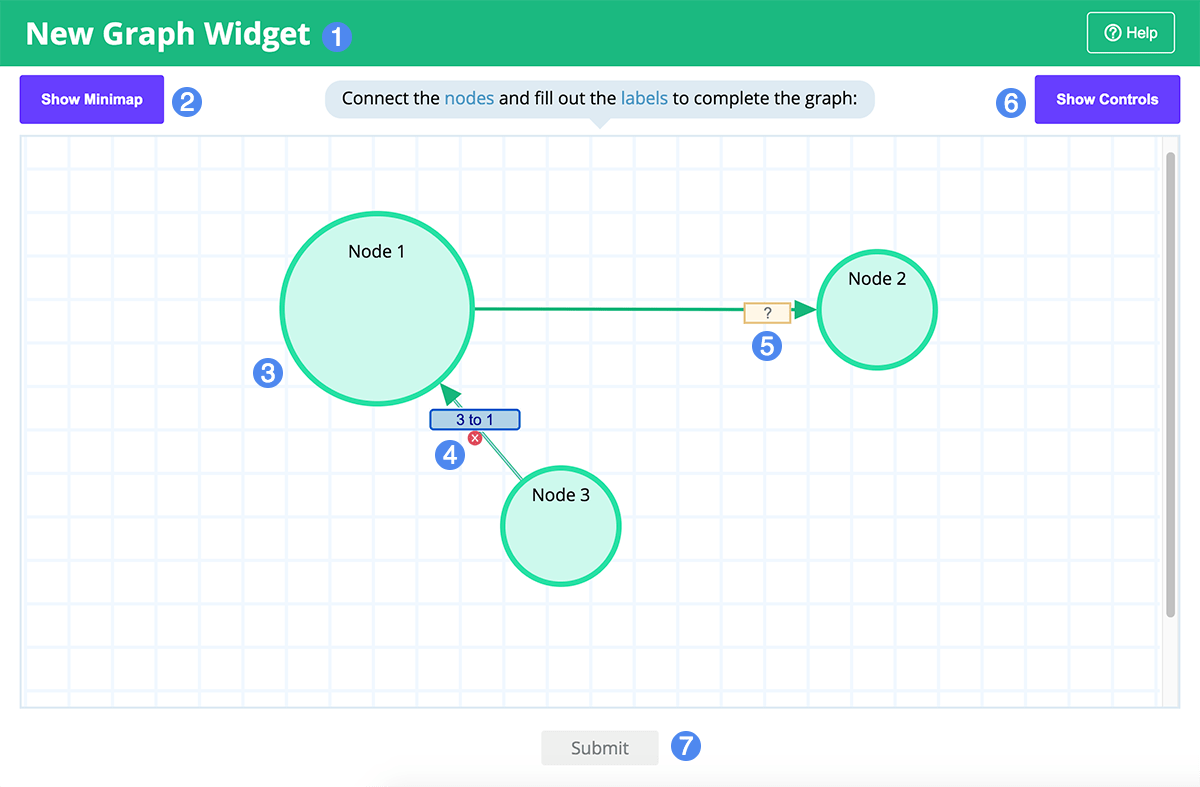
Students are given a graph populated with a series of nodes. Each node is provided a unique label. Students are tasked with correctly connecting the nodes to each other, and populating each connection's label with the correct value.
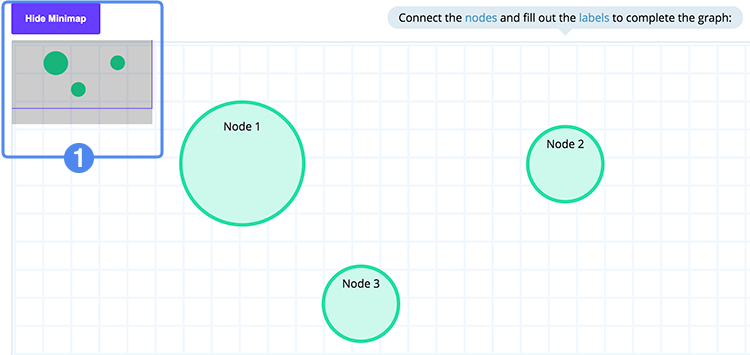
The Minimap provides an easy way to assess the overall layout of the node graph. Toggle the minimap display by selecting the Show/Hide Minmap button above it. The purple frame indicates the currently visible area of the graph. You can click and drag this frame to pan the viewport around if the graph is sufficiently large enough.
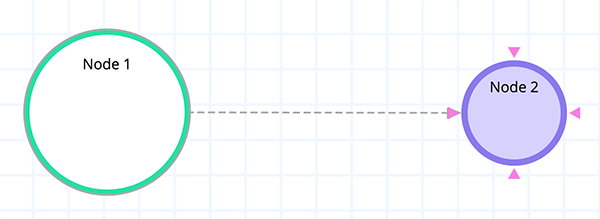
Click a node to select it and click an accompanying target node to complete a connection. You can also click and drag from the source node to the target node. The example below shows the source, Node 1, being connected to the target, Node 2.
Every connection is accompanied by a label that must be correctly filled out. Incomplete labels are highlighted in yellow; complete labels are highlighted in blue.
Select the connection or its label and click on the red X that appears under the label.
When you have drawn and labeled all the connections to your preference, click on the Submit button. You will be scored based on the number of nodes that were connected correctly and the text content of their labels. Extra lines will count against your score. Capitalization is not important but spelling, spacing, and punctuation do matter.